I have always been a huge fan of the portable computer. Although the portables were more expensive than the desktop computers, I wanted a computer that is personal and simple – unlike the first PC (IBM Personal Computer XT) that my father bought in 1981/1982.
I got my first laptop in 1991 for my college computer programming classes. Since then I’ve used notebooks/laptops/netbooks, ranging from Gateway 2000, Toshiba Satellite, Dell Inspiron/Latitude, IBM/Lenovo T Series, Acer Aspire One to Microsoft Surface Pro 3.
I started using the Acer netbook in 2011 for my global travels. It was good enough for me to read and write e-mails; to open and edit documents, presentations and workbooks; and to browse the Web. It has served me well although it performs poorly when Windows 10 does background updates and has to be restarted to regain its performance back.
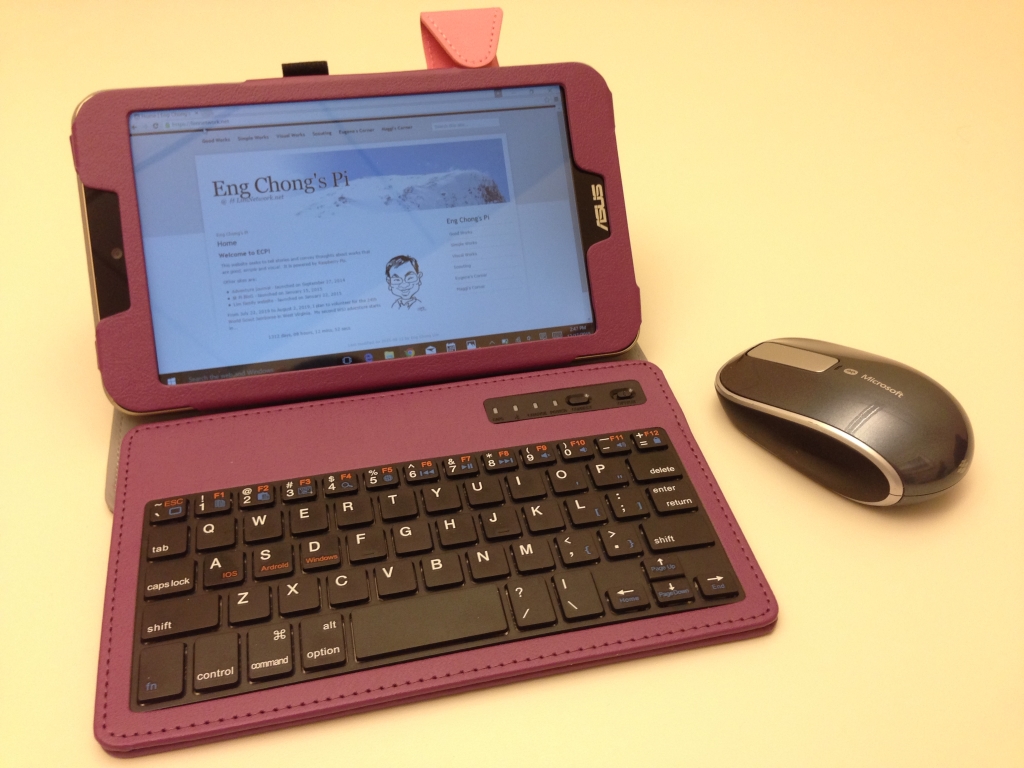
With devices getting cheaper, smaller and faster and having long battery life, I am now using an 8″ Windows 10 tablet together with bluetooth keyboard and mouse. It costs less than half my trusty Acer netbook. This setup also lets me use compact USB battery packs to recharge the tablet for extended use on the road.
UPDATE (23-DEC-2015): In addition to the above, I’ve also upgraded my 4 year old Acer Aspire One 722 to an Acer Aspire R 11. Since the latter shares the same memory and storage interfaces with the former, I have transplanted the 8 GB DIMM and 512 GB SSD from the old netbook to the new 2-in-1. The R 11 runs faster and quieter (1.6 GHz quad core Intel Pentium N3700 processor w/o fan vs. 1.0 GHz dual core AMD C-50 processor w/ fan) and longer (approx. 6 hours vs. 4 hours) than the 722. Although it has a bigger footprint, the R 11 can be converted into a tablet by flipping its touch screen 360 degrees. With the R 11, I was able to get used to it very quickly because the keyboard layout and function keys were the same as those in the 722. It also costs $6.47 less for a total cost of $424.42 that includes the memory and storage upgrades!
The only issue I have with the R 11 is that it comes with an integrated battery. At some point in in the future, the battery performance will degrade and will need to be replaced. That was the case with the 722 when I had to replace its batteries recently – hopefully the R 11’s battery is as good as the iPad that has held its charge for the last three years.
I had originally bought a Toshiba Satellite Click 10 2-in-1 in a recent Black Friday sale. Although the tablet is detachable from its keyboard dock, the screen/tablet could not be folded back far enough to be used comfortably as a laptop. Moreover, the Click 10’s 2 GB RAM and 64 GB eMMC storage were too small and not upgradeable. Rated at 11 hours, I was able to get only 5 hours from it. In addition, its Intel Atom x5-Z8300 processor was not as fast as that of the R 11. Despite the Click 10 had a superior screen, I returned it. I’m glad that I did so, especially when it is $100 more than the R 11.